⚙️ Settings
What you can do on this screen
The Settings screen is where you configure how the app behaves and how it interacts with Pi-hole servers. You mainly use it to:
- Customize app behavior such as theme, language, and server selection
- Manage Pi-hole server tools like Adlists (Subscriptions) and Groups & Clients
- View application and privacy information
This screen is not used frequently, but it becomes important during initial setup, server changes, or maintenance.
App Settings (top section)
At the top of Settings, you find App Settings, which control how the Pi-hole Client app itself behaves. These settings affect only the app and do not change Pi-hole server behavior.
From here, you can open pages such as theme, language, and server management.
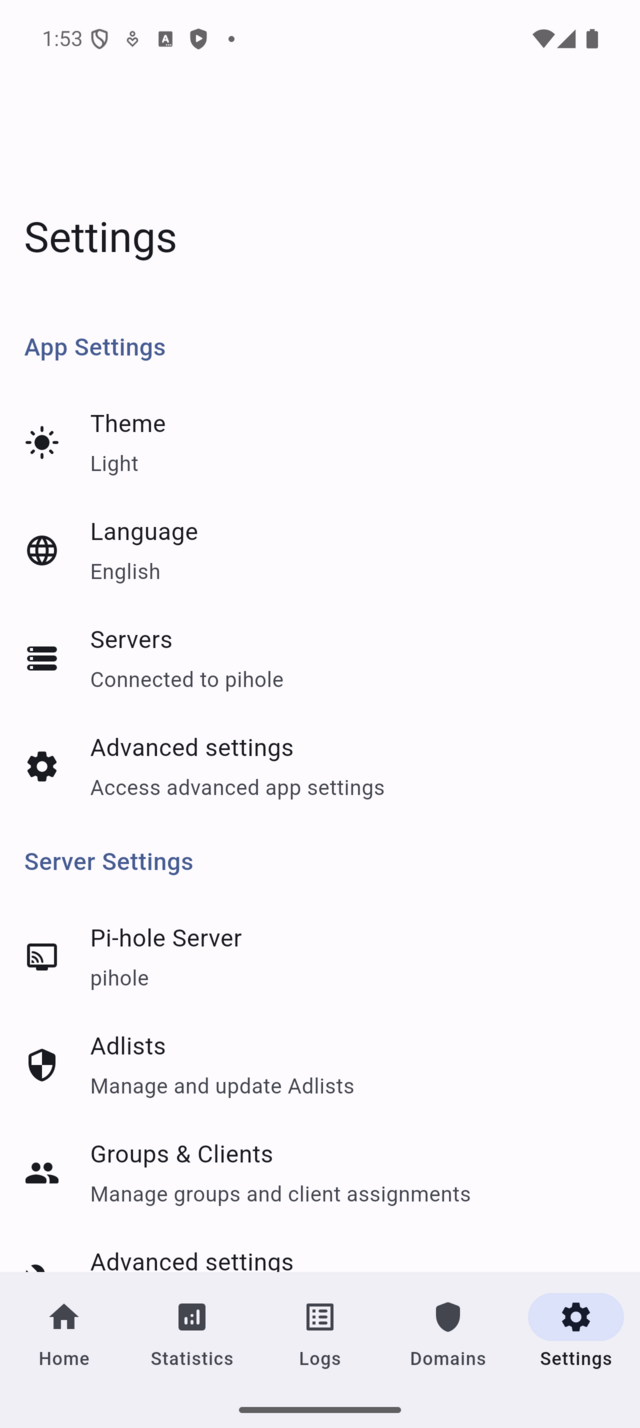
Use App Settings when you want to customize the app experience or manage which Pi-hole servers are available.
Server Settings (middle section)
Scrolling down reveals Server Settings, which provide tools that directly interact with the currently selected Pi-hole server.
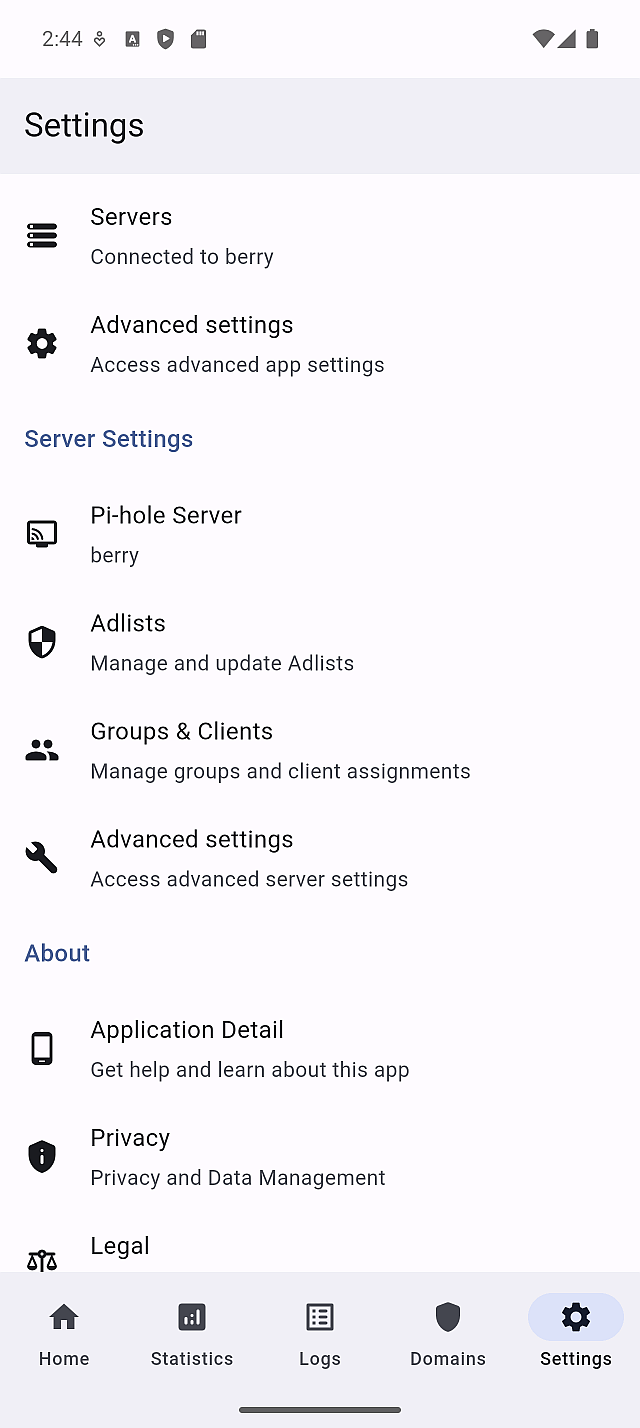
In this section, you can manage Pi-hole configuration and data, including:
- Server Info - check server version, status, and basic details
- Adlists - manage subscription sources used by Pi-hole (allowlist and blocklist)
- Groups & Clients - organize clients and rules into groups
- Advanced Setup - access advanced server-side tools
All pages in this section operate on the selected server only.
These server-management tools are designed around the Pi-hole v6 API. If you are connected to Pi-hole v5, some pages are replaced by an informational message and should be managed from the Pi-hole web interface instead.
About (bottom section)
At the bottom of Settings is the About section. These pages provide information about the app and its legal context and do not affect app or server behavior.
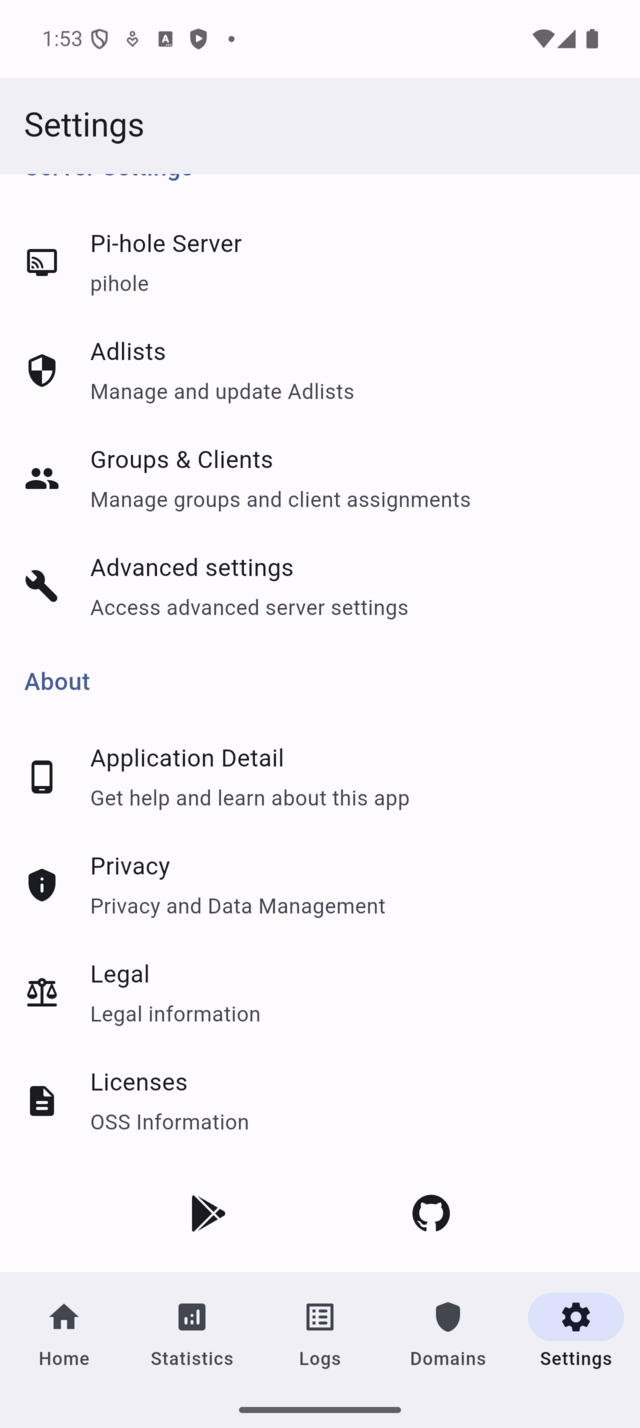
Here, you can open:
- Application Detail - app version and build information
- Privacy - privacy policy and diagnostics information
- Legal - legal notices and disclosures
- Licenses - open source licenses used by the app
Use this section when you need reference information rather than configuration.
Typical ways to use Settings
-
First-time setup Add a Pi-hole server, choose a theme, and set your preferred language.
-
Managing server configuration Open Adlists or Groups to maintain blocking rules and client organization.
-
Checking app information Use Application Detail or Privacy pages to review version and legal details.
Important notes and limits
- Settings affect either the app or the currently selected server.
- Server tools depend on Pi-hole version and permissions.
- Changes to server configuration may take a short time to reflect in Logs and Statistics.
Pi-hole concepts used on this screen
Settings expose both app-level configuration and Pi-hole server tools. Server-related settings interact directly with Pi-hole’s APIs, while app settings only affect local behavior such as appearance and language.